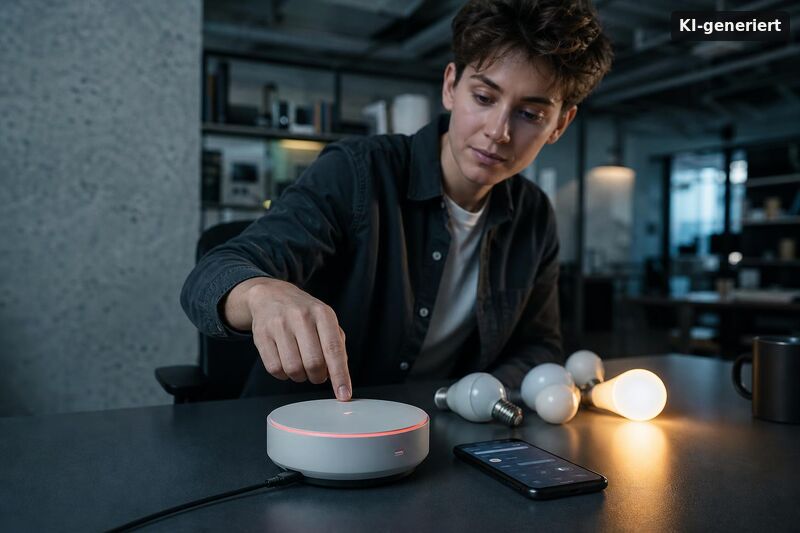
Do you need a separate Thread Border Router with Hue Bridge Pro for Matter in the US?
Short answer: yes. Do you need a separate Thread Border Router with Hue Bridge Pro for Matter in the US? Yes — because the Hue Bridge Pro is not a Thread Border Router. It can act as a Matter Bridge, exposing your Hue lights to platforms like Apple Home, Google Home, or Amazon Alexa through the Matter standard. But anchoring a Thread mesh network to your LAN? That's a role it cannot fill.
This distinction trips up a lot of smart home enthusiasts, and understandably so. The naming overlap between "Matter Bridge" and "Thread Border Router" makes the two sound interchangeable. They are not — and understanding why saves you from a frustrating setup experience.
What is a Thread Border Router — and why does it matter for Matter?
A Thread Border Router does one specific thing: it connects a Thread mesh network to your IP-based home network (typically Wi-Fi or Ethernet). Thread itself is a low-power, self-healing mesh protocol built for IoT devices. Without a border router, the Thread mesh is an island — devices on it cannot communicate with your router, your phone, or any cloud services.
Matter over Thread relies on this bridge. When you add a Matter-certified smart bulb or sensor that communicates via Thread, your system needs a border router to route that traffic onto your LAN so controllers like Apple Home or Google Home can reach it. No border router, no reliable Matter over Thread. It's that straightforward.
A Matter Bridge, by contrast, aggregates devices from a proprietary ecosystem — like Zigbee-based Hue bulbs — and presents them to Matter controllers as if they were native Matter devices. Two different roles, two different hardware requirements.
Does Hue Bridge Pro support Thread Border Router functions?
According to reporting by matter-smarthome.de, the Hue Bridge Pro hardware could theoretically act as a border router, but only on a single wireless channel — which is precisely why Philips has no plans to enable the feature.
The deeper reason is Zigbee. The Hue ecosystem is built on Zigbee's message bandwidth, and that's what enables features like Hue Entertainment and Hue MotionAware to function reliably at scale. Thread carries higher overhead. A full migration — or even partial dual-use of the radio — would, in Philips Hue's own words, require performance compromises the company isn't willing to make.
So in practice: the Hue Bridge Pro is a Matter Bridge, not a Thread Border Router. It joins your Matter fabric and brings your Zigbee Hue devices along with it. What it does not do is extend or anchor your Thread mesh.
Which devices can act as a Thread Border Router in the US?
Several common smart home hubs already include built-in Thread Border Router functionality. Popular options in the US as of 2025:
- Apple HomePod mini – includes a Thread Border Router; works seamlessly with Apple Home and Matter
- Apple HomePod (2nd Gen) – same Thread Border Router capability, larger footprint
- Apple TV 4K (2nd Gen, 2021 and 3rd Gen, 2022) – both support Thread Border Router functions alongside HomeKit
- Google Nest Hub (2nd Gen) and Nest Hub Max – act as Thread Border Routers within the Google Home ecosystem
- Google Nest Wifi Pro – combines Wi-Fi 6E mesh routing with a built-in Thread Border Router
- Amazon Echo (4th Gen) – includes Thread support and border router functionality for Alexa and Matter setups
- eero 6, eero 6+, eero Pro 6, and eero Pro 6E – Amazon's eero mesh routers with Thread built in, functioning as border routers without a separate hub
Any of these can fill the Thread gateway role. Pair one with the Hue Bridge Pro — which handles the Matter Bridge role — and you have a complete setup: Zigbee devices managed by Hue, exposed via Matter, reachable across your Thread-enabled home network.
How to set up Matter with Hue: bridge vs. direct Thread pairing
Philips Hue officially supports two distinct paths, and they serve different use cases.
Option 1: Setup via the Hue Bridge (recommended for existing Hue users)
Connect your Hue Bridge or Hue Bridge Pro, install the Hue app, and add your bulbs as usual. Then go to Settings > Smart Home in the Hue app and choose your platform — Apple, Google, or Alexa. The app walks you through the Matter integration. Your Hue devices show up in your platform's ecosystem without any Thread Border Router involvement, because the Hue Bridge communicates over Wi-Fi/Ethernet, not Thread. No border router needed for this path.
Option 2: Direct Matter over Thread (for newer Matter-certified Hue bulbs)
Some newer Hue bulbs carry the Matter logo on their packaging, indicating they can connect directly to a Matter controller via Thread — bypassing the Hue Bridge entirely. For this to work, you need a Matter controller hub that also includes a Thread Border Router: a HomePod mini, Nest Hub 2nd Gen, Echo 4th Gen, or any of the eero Thread-enabled routers listed above.
In June 2026, Philips Hue announced a firmware update to enable simultaneous Zigbee and Matter over Thread on newer bulbs — meaning the bridge and direct Thread paths would eventually no longer be mutually exclusive. Check the Philips Hue official Matter support guide for the current rollout status.
Common pitfalls when mixing Matter, Thread, and Zigbee
The most frequent mistake is assuming the Hue Bridge Pro covers everything. It doesn't — and the gap between "Matter Bridge" and "Thread Border Router" is precisely where setups break down.
A few concrete scenarios worth watching out for:
- Expecting Hue Bridge Pro to route Thread traffic: It won't. If you add Matter-over-Thread devices from other brands — say, an IKEA Matter-over-Thread bulb or a Thread-only sensor from another brand (not the IKEA Dirigera hub, which is a separate controller) — those devices need a real border router on your network, independent of the Hue Bridge Pro.
- Confusing Matter Bridge with Thread Border Router in app UIs: Some platforms (SmartThings, Homey, Apple Home) label Matter-bridged devices differently from native Thread devices. A Hue bulb exposed via the Hue Bridge Pro's Matter Bridge will appear differently than a bulb connected directly over Thread.
- Overlooking Zigbee performance trade-offs: Philips Hue's reliability features — entertainment sync, group performance, motion automation latency — are tuned for Zigbee. Thread's higher overhead can introduce subtle performance differences, particularly in large installations. If you rely on Hue MotionAware, it can help to fine-tune settings like Privatsphäre-Zonen, Empfindlichkeit und Zeitpläne ohne Fehlalarme so the system behaves consistently.
In practice, a clean US setup looks like this: keep the Hue Bridge Pro as your Matter Bridge for all existing Zigbee Hue hardware, and let a HomePod mini, an Echo 4th Gen, or an eero Pro 6E handle Thread Border Router duties for any Thread-native Matter devices you add from other brands.
Conclusion
Bottom line: do you need a separate Thread Border Router with Hue Bridge Pro for Matter in the US? Yes — unless you only use the Hue Bridge path over Wi-Fi/Ethernet with Zigbee bulbs, in which case a border router isn't required. The Hue Bridge Pro is a capable Matter Bridge, but its Thread Border Router functionality is not enabled, and Philips Hue has no short-term plans to change that. For a complete Thread-based Matter setup, pair it with a dedicated border router: an Apple HomePod mini, Google Nest Hub 2nd Gen, Amazon Echo 4th Gen, or one of Amazon's eero Thread-capable mesh routers will all do the job. Keep the two roles clearly separate — Matter Bridge versus Thread Border Router — and your Hue Matter integration will be considerably less confusing. If you're also comparing models for Apple Home Matter, see Hue Bridge Pro vs v2 für Apple Home Matter: Lohnt sich der Aufpreis?.
In the US, you usually do not need a separate Thread Border Router when you use Hue Bridge Pro for Matter. The bridge can act as the right integration point so your smart lights work in Apple Home and with Matter endpoints. Still, the practical answer depends on your setup. If your goal is stable local control and fewer delays, you should check how Thread and Matter are actually wired in your home network. The core question is simple: do you need a separate thread border router with hue bridge pro for matter in the us? For most homes, the bridge covers the “border” role well enough for device onboarding and day-to-day use, as long as your network is set up correctly.
If you are unsure what to enable, read how Hue Bridge Pro and Hue Bridge v2 differ for Matter and local automation. That helps you understand whether Thread features are central to your goal, or whether your Zigbee lighting still behaves mostly the same. In other words, do you need a separate thread border router with hue bridge pro for matter in the us? It often turns out to be less about buying extra hardware and more about choosing the right base hub and enabling the right Matter paths. You will also get a clearer view of what “local” really means in practice, especially when your internet is slow or down.
Finally, keep your expectations aligned with what Hue Bridge Pro is designed to do. It can provide Matter bridging for existing Hue Zigbee devices, but it does not transform your Hue lights into a full Thread endpoint network you manage like a standalone Thread system. That means planning a border router just for comfort can be a waste. If you want fewer surprise issues during onboarding, also look at Apple Home changes after upgrading. Then you can answer do you need a separate thread border router with hue bridge pro for matter in the us with confidence, based on your exact devices and platform.
What features do you get with Philips Hue Bridge Pro: Matter, Thread, and local control
hue bridge pro worth it vs hue bridge v2 for apple home matter local automation
How do I keep Apple Home automations after upgrading to Hue Bridge Pro (Matter/Thread)? What changes