Total cost of upgrading to Hue Bridge Pro: what it adds vs keeping your current hub
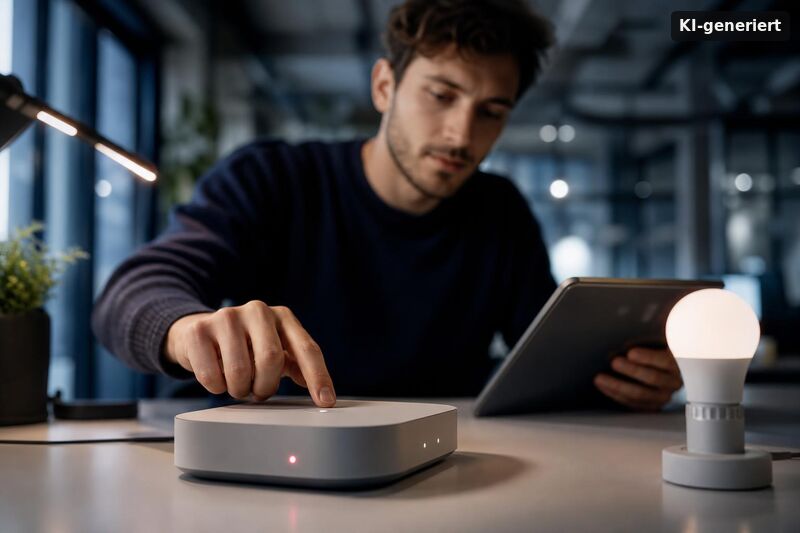
At $139.99, the Hue Bridge Pro is Philips Hue's first major hub refresh in nearly a decade, built on a new processor designed to run on-device algorithms — including MotionAware and SpatialAware. Whether that upgrade cost makes sense depends entirely on your current setup: how many devices you're running, how you use automations, and whether the new features replace hardware you'd otherwise buy separately. This breakdown covers the total cost of upgrading to Hue Bridge Pro versus keeping your existing hub, including device limits, migration friction, and the sensor savings math.
What the Hue Bridge Pro actually adds over the standard bridge
Two new features define the Bridge Pro. MotionAware uses compatible Hue bulbs as motion detectors, organized into up to four zones. SpatialAware adds positional context to those detections — the system attempts to understand where in a room movement is occurring, not just that someone entered. Neither feature is available on the standard Hue Bridge v2.
Hardware-wise, the Bridge Pro supports more than 150 lights and up to 50 accessories — significantly more headroom than the v2 Bridge, which caps at approximately 50 lights and 12 accessories. Philips Hue claims up to five times faster response times compared to the standard bridge, according to the official Bridge Pro product page. The device also adds Wi-Fi connectivity alongside the standard Ethernet port, plus USB-C power input. Matter-over-Bridge support is included — though it's worth noting this is also available on the v2 Bridge, so it's not an upgrade-exclusive advantage.
SpatialAware, as of mid-2025, reads more as a forward-looking capability than a polished daily driver. Review coverage describes it as promising rather than fully realized. MotionAware is the feature with immediate, calculable value — but it comes with conditions (more on that below).
What is the total cost of upgrading to Hue Bridge Pro?
The Bridge Pro retails at $139.99 in the US — approximately 40 percent more than the equivalent price in the UK and EU, where it sells for £89.99, according to The Verge's Bridge Pro review. Against the standard Hue Bridge at around $59.99, the upfront delta is roughly $80.
The full cost picture, however, depends on what the Bridge Pro can replace:
- Standard Hue Bridge v2: ~$59.99 retail; no MotionAware or SpatialAware; supports up to ~50 lights and ~12 accessories
- Hue Bridge Pro: $139.99; MotionAware (up to 4 zones), SpatialAware, 150+ lights and up to 50 accessories, Wi-Fi + Ethernet, USB-C, faster processing
- Upfront price gap: ~$80
- Hue standalone motion sensor: ~$49 each; MotionAware zones could reduce or eliminate the need for these in rooms with compatible bulb setups
If MotionAware reliably replaces two standalone sensors, you recover $98 in sensor costs — more than the $80 premium. That math holds only in rooms where MotionAware can actually activate, which is not guaranteed across your entire home (see the caveats section below).
If you're currently running multiple v2 bridges to manage a large installation, consolidating onto one Bridge Pro can make financial and operational sense — provided your total stays within approximately 150 lights and 50 accessories. Larger installs may still require two Bridge Pro units, which at $140 each represents $280 in hub costs alone. That threshold matters: the Bridge Pro does not scale indefinitely.
Is it cheaper to keep your current Hue Bridge v2?
For the majority of existing Hue users, yes. If your light count sits well under 50, automations run without noticeable lag, and you're not planning to add motion sensors in multiple rooms, keeping your current hub is the financially sound call. The v2 Bridge continues to receive firmware updates and remains fully supported by the Philips Hue app — there's no end-of-life pressure driving an upgrade.
The upgrade cost also doesn't account for migration. Switching bridges isn't instantaneous: pairing accessories to a new hub, reconfiguring automations, and verifying that room assignments transfer correctly takes time. There's a non-trivial risk of needing to re-pair accessories individually, particularly with older Hue devices. Potential downtime during migration is a real consideration for households that rely on Hue automations for daily routines. Philips Hue offers a migration tool through the app, but community reports suggest larger installs require more manual intervention than the process implies. If you run into pairing issues or offline devices during the move, Pairing fail, offline devices, and disconnect fixes for Hue Bridge Pro can be relevant to factor into the real-world effort.
One additional hidden cost: MotionAware zones require rooms with sufficient compatible bulbs to function. If some of your spaces run on older or non-Zigbee-compatible Hue hardware, you may need to replace bulbs before those rooms can benefit from the feature — adding to the real total cost of upgrading to Hue Bridge Pro beyond the $139.99 sticker price.
When does the upgrade cost make sense?
Three specific scenarios shift the calculation toward upgrading.
You're approaching or exceeding v2 device limits. Once you're running 40+ lights and accessories on a single v2 Bridge, adding more reliably triggers instability. The Bridge Pro's expanded headroom — 150+ lights and up to 50 accessories — gives substantial runway without splitting your setup across multiple hubs, as long as your total remains within those thresholds.
MotionAware zones replace sensors you planned to buy. Two rooms where MotionAware works = ~$98 in sensor savings, which more than covers the $80 upgrade premium. Three or four qualifying rooms pushes the savings further. The key word is "qualifying" — this only pencils out if your rooms meet the bulb requirements.
Wi-Fi connectivity solves a placement problem. If running Ethernet to your current bridge location is awkward, or if you want to move the hub closer to a dense cluster of lights, the Bridge Pro's Wi-Fi option is practically useful. That said, Wi-Fi introduces a potential latency variable that Ethernet avoids. For more detail on the trade-offs, Hue Bridge Pro vs hubless Wi‑Fi: latency, reliability, upgrade guidance is a helpful reference. For most home setups the difference will be imperceptible, but in automation-heavy environments where sub-second response matters, Ethernet remains the more predictable choice.
MotionAware and SpatialAware: what the caveats cost you
MotionAware is the headline feature most likely to influence the upgrade decision — and it's the one most constrained by real-world conditions.
Early community reports suggest MotionAware works best, and may require activation, with at least three compatible Hue bulbs in the same room. This is based on community-observed behavior (including discussion in the MacRumors Hue Bridge Pro thread) rather than explicit official documentation — verify compatibility and room layouts before counting on sensor replacement. A single-bulb fixture, a lamp-only room, or a space with non-Hue lighting simply won't qualify.
That constraint has a cost implication. If you want MotionAware coverage in four rooms but two of them currently have one or two compatible bulbs each, you may need additional bulbs before the feature becomes functional. At $15–$50 per bulb depending on model, outfitting those rooms adds to the actual total cost of ownership — potentially significantly.
SpatialAware carries less financial risk because it adds contextual capability rather than replacing existing hardware. The concern here is more about expectation management: as of mid-2025, the feature is described by reviewers as early-stage. Upgrading specifically for SpatialAware today is a bet on future refinement rather than a guaranteed day-one improvement.
Conclusion
The total cost of upgrading to Hue Bridge Pro versus keeping your current hub comes down to three variables: how close you are to the v2 Bridge's device limits, how many MotionAware zones you can realistically activate, and whether migration friction is an acceptable trade-off. At $139.99 — with an $80 premium over the standard bridge and a 40 percent US price markup compared to UK/EU pricing — the Bridge Pro earns its cost for large-scale Hue installations and users replacing multiple motion sensors. For everyone else, the v2 Bridge remains fully functional, actively supported, and meaningfully cheaper. Upgrade when the Bridge Pro solves a specific, measurable problem in your current setup — not as a precautionary refresh.
Total cost of upgrading to Hue Bridge Pro: what it adds vs keeping your current hub is not only a money question. It is also about what you gain every day. Before you buy, check how your existing hub fits your goals. If your current setup is limited by cloud access, you may feel slower responses and less control. With Hue Bridge Pro, the upgrade is most useful when you want more control options, smoother local behavior, and a stronger foundation for smart home standards.
One big reason for switching is easier local control. If you care about offline reliability, routines, and internet-free scenes, plan your upgrade around practical use. Total cost of upgrading to Hue Bridge Pro: what it adds vs keeping your current hub becomes easier to judge when you see how much you rely on automation. For many homes, local execution means your lights still react during outages, and schedules feel more dependable. For the best match, read this guide: Create local automations on Hue Bridge Pro: routines, schedules, and internet-free scenes.
Another cost driver is whether Hue Bridge Pro helps you grow with modern connectivity. If you plan to expand with Matter and Thread devices, the upgrade path can be simpler than mixing hubs. Total cost of upgrading to Hue Bridge Pro: what it adds vs keeping your current hub may drop over time if you avoid extra bridges and duplicate setups. This page explains the core idea behind that upgrade: Matter over Thread for smart lighting: is Hue Bridge Pro the right hub for your setup?.
Finally, consider risk and effort. Any upgrade can cause pairing issues, offline devices, or temporary disconnects, which can affect your perceived value. If you want a cleaner rollout, learn the common failure patterns first. Fixes also help you decide whether switching is worth it for your home right now. You can prepare using this troubleshooting checklist: Hue Bridge Pro troubleshooting: pairing fails, devices go offline, and disconnect fixes.