Philips Hue Bridge vs. Hue Bridge Pro Black: Hue Bridge Pro Vergleich — What Changes, What Matters, and Who Should Upgrade
The Hue Bridge Pro is not a paint swap; it adds Wi‑Fi, USB‑C, far more performance, and much higher device limits. In this Hue Bridge Pro Vergleich, Sie sehen klar, wann die neue schwarze Pro‑Bridge lohnt und wann die bewährte weiße Bridge die vernünftige Wahl bleibt.
The heart of Hue, now in two flavors
Your smart lights need a brain. For years, that brain was the white Hue Bridge. It was small, simple, and solid. Today, there is a new option: the black Hue Bridge Pro. It looks much the same. Yet it works very different inside. This is not a simple paint job. It is a rethink of power, speed, and scale. In this Hue Bridge Pro Vergleich, Sie sehen, was die Veränderung für Sie bringt — und wann das alte Modell weiter passt.
Design and first impressions
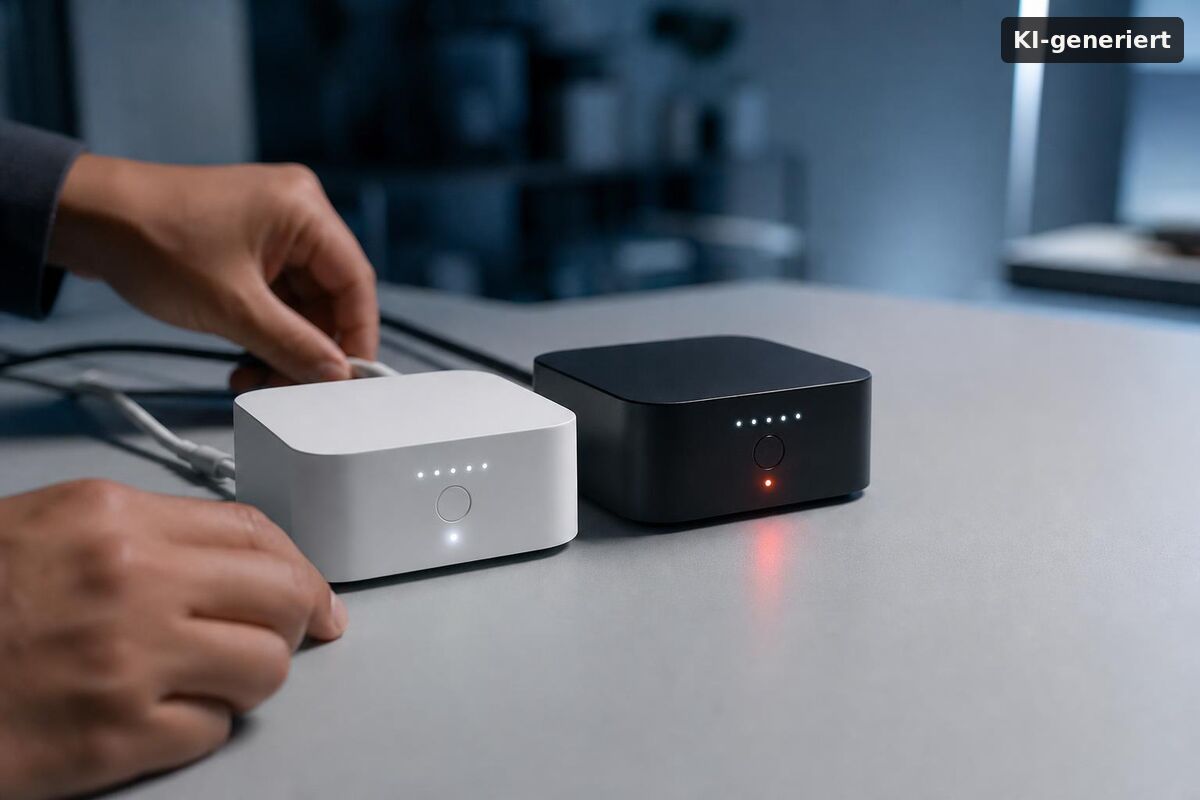
At a glance, both bridges look alike. The shape is square with soft edges. The size is almost the same. The Pro comes in black. The older unit stays white. The LED ring remains clear and calm. The new tone feels more premium and hides scuffs. But looks are not the point here. The key story sits under the shell — that is where the real gains start in this Hue Bridge Pro Vergleich.
Power and placement: from outlet to anywhere
The old bridge uses a wall plug and a LAN port. You had to park it near your router. That worked, but it set hard limits. The Pro adds a USB‑C power port, so Sie können flexible Netzteile oder eine USV nutzen. It also adds Wi‑Fi, so Sie können die Bridge zentral im Haus an Ihrem Mesh platzieren — oft mit spürbar besserer Reichweite.
Networking choices and what they change
Wired links are still best for low jitter and less RF noise near Zigbee lights. If Sie viele Lampen betreiben, hilft ein Kabel oft. But Wi‑Fi gives you freedom: move the bridge, test spots in minutes, avoid a crammed network shelf. For many, that cuts setup stress. In short, you gain options — and options bring value in this Hue Bridge Pro Vergleich.
How many lights and accessories can each bridge handle?
Standard: up to 50 lamps and 12 accessories. Pro: up to 150 lamps, 50 accessories, and 500 stored scenes. That is a decisive jump for large homes and pro‑style setups.
Scale is the main edge. The white bridge tops out at 50 lights and 12 accessories (Stand 2025). The Pro triples light capacity, more than quadruples accessory headroom, and expands scenes to 500. That lets Sie planen: multi‑room layouts, granular zones, seasonal scene libraries — ohne ständig zu löschen oder zu splitten. Quelle mit Detailangaben: Smartlights.de Vergleich.
Performance under the hood
The Pro model takes a huge leap in speed. It runs on a custom “Hue Pro Chip” at 1.7 GHz with 8 GB DDR4 RAM and 8 GB eMMC storage. In practice, that is up to five times faster than the old unit. Scenes load with less wait. Group changes feel instant. Large spaces behave as one. If Sie Ihr System stark beanspruchen, merken Sie den Unterschied — besonders bei langen Raum‑ und Zonenlisten.
Does MotionAware really replace sensors?
Often yes for presence, if Sie pro Raum mindestens drei Hue‑Lichtquellen haben. MotionAware nutzt die vorhandenen Lampen zur Bewegungserkennung und kann viele Aufgaben klassischer Sensoren übernehmen.
It is not magic — dedicated motion sensors still have a place, etwa für Korridore mit nur einer Leuchte. But for living rooms, kitchens, or open spaces with several bulbs, MotionAware unlocks responsive automations without extra hardware. From a newsroom perspective, this is a showcase for what the Pro’s extra compute can enable over time.
Everyday use and reliability
The basics stay the same. The Hue app still leads the show. Routines, zones, and scenes are where Sie leben. Yet the Pro makes the ride smoother. Large groups change in sync. Sensor rules fire with less lag. Scrolling long accessory lists feels snappier. With a small setup, the gap is subtle. With a big one, it is clear. Short version: the Pro reduces friction — the core win in this Hue Bridge Pro Vergleich.
How much does it cost — and is the upgrade worth it?
Expect around €59.99 for the white Bridge and €89.99 for the Bridge Pro (Stand 2025). Upgrade if Sie Wi‑Fi, more speed, and the higher device limits will be used within the next one to two years.
Starter kits still make the white bridge a low‑cost entry. But the Pro’s delta buys placement freedom, headroom, and features like MotionAware. Pricing details have been reported by community sources such as Hueblog (€89.99 Pro). If Sie heute schon nahe an 50 Lampen oder 12 Zubehörteilen sind, spart der direkte Sprung auf die Pro Zeit und Nerven.
Who should choose which bridge?
Pick the white Bridge for modest homes; pick the Pro for large installs or if Sie Wi‑Fi placement, faster group control, and MotionAware want. That is the practical fork.
If your home has under 50 lights and a handful of switches or sensors, the white bridge is fine. It is proven, costs less, and ships in many kits. If Sie 60, 80, or 120 lights planen, gehen Sie Pro. If Sie Wi‑Fi and USB‑C flexibility want, gehen Sie Pro. For rentals, small offices, cafés, or showrooms, the Pro’s caps and speed keep scenes crisp and on time.
- Small apartments, starter kits: white Bridge remains the value pick.
- Multi‑floor homes, open‑plan spaces: Pro for scale and central Wi‑Fi placement.
- Automation enthusiasts: Pro for more scenes and MotionAware potential.
Setup, migration, and best practices
New users start fresh in the Hue app. Connect by Ethernet for setup speed or Wi‑Fi for flexible placement. Power via USB‑C. Place centrally, away from large metal or stone. Add a few lights per room and test. If Sie von der weißen Bridge migrieren, planen Sie eine ruhige Stunde. Re‑pair devices in batches, label rooms in plain words, and verify scenes as you go. In der Praxis hat sich gezeigt: Ein zentraler Standort bringt mehr als jede Tweakerei in der App.
Security, stability, and support
Both bridges share the same brand stack and get updates. Recent firmware rollouts (Hue Bridge v2 and Bridge Pro, Stand Q1–Q3 2025) continue to refine automations and UI surfaces, with feature groundwork landing on both lines. Keep firmware current, avoid RF‑noisy shelves, and prefer Ethernet if Ihr 2.4‑GHz‑Band überfüllt ist. That plan beats guesswork in any Hue Bridge Pro Vergleich.
Edge cases and trade‑offs
USB‑C is flexible, but use a quality charger for clean power. In congested Wi‑Fi, Ethernet still wins for stability. Legacy accessories keep working on Pro. MotionAware shines in rooms with three or more bulbs; in small rooms, a classic motion sensor can still be the better trigger. Weigh these before Sie kaufen.
Hue Bridge Pro Vergleich: a practical field test
Set a scene: a two‑floor home with 80 bulbs, 12 switches, six sensors. The white bridge can run it, but Sie bemerken eher Latenz und asynchrone Gruppenwechsel. The Pro keeps pace. Or take a bistro with 100 lamps and mood lists per hour: the Pro owns that — plus Wi‑Fi placement near the geometric center to avoid dead spots. In short, a real‑world Hue Bridge Pro Vergleich favors the Pro when the map is big.
Future‑proofing and room for features
Hubs last for years. Extra headroom matters. The Pro bakes in CPU, RAM, and storage to host more scenes and logic. It also positions Philips Hue to roll out compute‑heavy features over time — MotionAware is the first hint. Aus Redaktionssicht: Wer heute schon “wachstumsnah” plant, fährt mit der Pro langfristig günstiger als mit zwei weißen Bridges.
Fazit
Die weiße Hue Bridge bleibt ein guter Kauf für kleine Setups: günstig, bewährt, leicht erhältlich in Bundles. Die schwarze Hue Bridge Pro liefert Wi‑Fi, USB‑C, deutlich mehr Tempo und vor allem viel Headroom: 150 Lampen, 50 Zubehörgeräte, 500 Szenen. Preislich liegen wir Stand 2025 bei etwa €59.99 (weiß) und €89.99 (Pro). Wenn Sie groß planen, schnelle Gruppenwechsel wollen oder MotionAware nutzen möchten, ist die Pro die richtige Wahl. Für kompakte Wohnungen mit wenigen Leuchten reicht die weiße Bridge weiterhin aus.
Hue Bridge Pro Vergleich: A clear look at the regular Hue Bridge and the Hue Bridge Pro in black. This short guide helps you pick the right bridge for your home. We focus on speed, features, and privacy. You get simple tips and quick facts to compare both models. The aim is to help you make a fast and safe choice.
The Hue Bridge Pro Vergleich also looks at app support and device limits. If you use other smart home tools, check new Homematic IP app features. They show how different apps link to bridges. This may affect your daily use and the number of devices you can manage. Keep the app side in mind when you choose.
If cameras matter to you, read best wireless security cameras for home office. That piece compares low-light performance and battery life. It helps you match a camera to your Hue setup. Good camera choice can raise your home security.
For outdoor protection, see SwitchBot outdoor security camera AI. It covers AI alerts and weather tests. Use the right camera with the right bridge for wider coverage. If you need a fast pick, favor the Pro for large homes. For small flats, the regular bridge often is enough.